AI-Powered Expense Tracker with OCR
Cloud-native expense management application built on AWS using managed AI services, Infrastructure as Code, and containerized deployment.
Badges





Table of Contents
- Overview
- Problem Statement
- Architecture
- Tech Stack
- Core Workflows
- Infrastructure as Code
- Containerization & Deployment
- Security
- Scalability
- Testing
- Project Structure
- Setup & Deployment
- Future Enhancements
- Author
Overview
The AI-Powered Expense Tracker with OCR is a production-ready cloud-native web application built on Amazon Web Services (AWS).
Users can:
- Authenticate securely
- Upload receipt images
- Automatically extract financial data using AWS Textract
- Visualize expenses through an interactive dashboard
- Receive automated monthly summaries via email
The project demonstrates real-world implementation of:
- Infrastructure as Code (IaC)
- Serverless storage
- Managed identity
- AI-as-a-Service
- Container orchestration
- Cloud-native architecture
Problem Statement
Manual expense tracking requires repetitive data entry and often leads to errors.
This project automates receipt digitization using AWS Textract AnalyzeExpense API, reducing manual effort while maintaining scalability and security.
Architecture
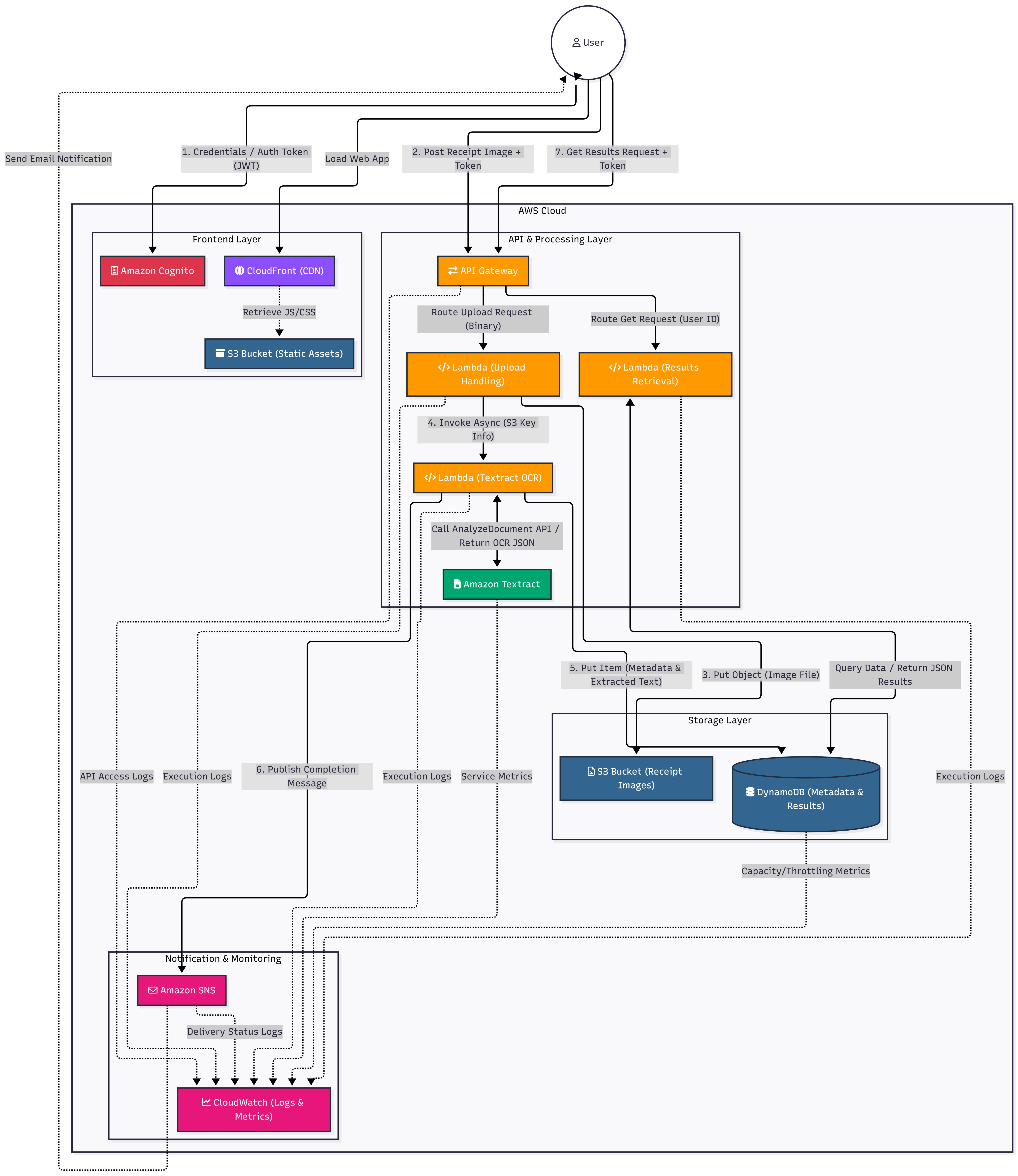
The system is designed using a layered cloud-native architecture.
1️⃣ Cloud Architecture (Component View)
- Client (Next.js frontend)
- EC2 (Dockerized backend & frontend)
- Cognito (Authentication)
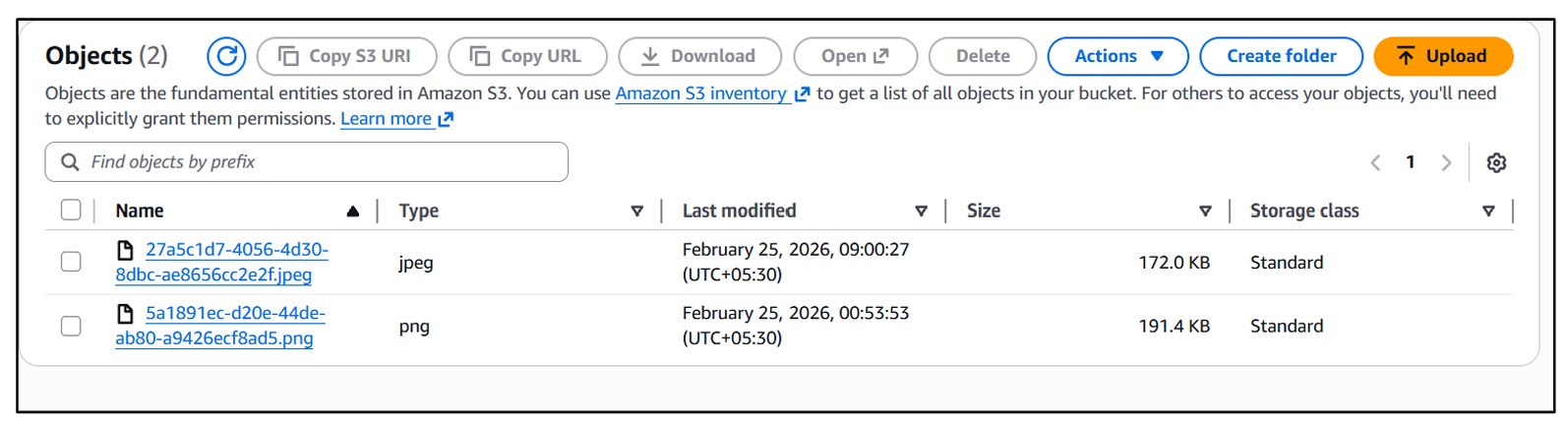
- S3 (Receipt Storage)
- Textract (OCR)
- DynamoDB (Database)
- SNS (Notifications)
- VPC + Security Groups (Networking)
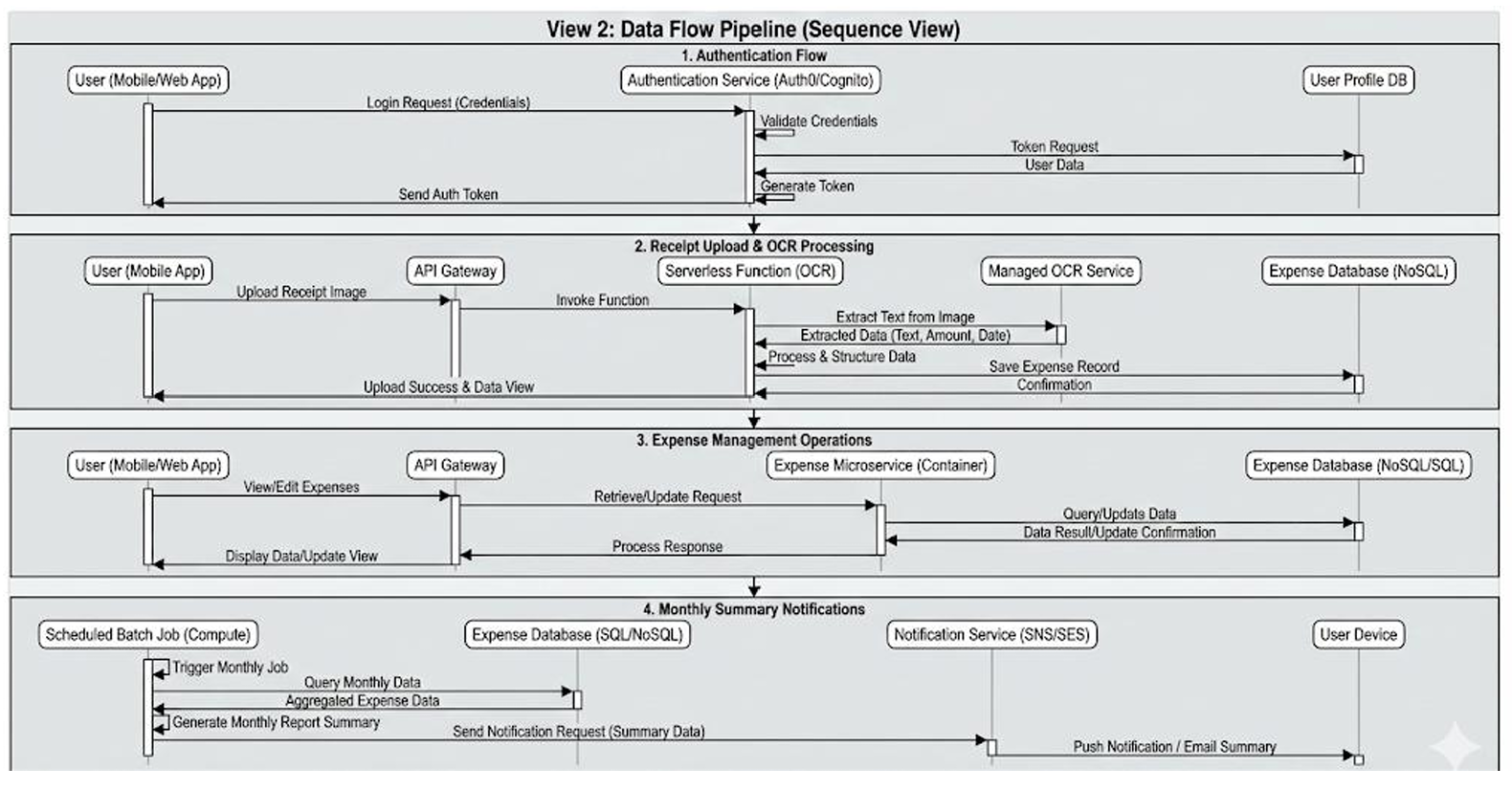
2️⃣ Data Flow Pipeline (Sequence View)
Workflows include:
- Authentication
- Receipt Upload + OCR Processing
- Expense Management
- Monthly Summary Notifications
3️⃣ Infrastructure Deployment (IaC View)
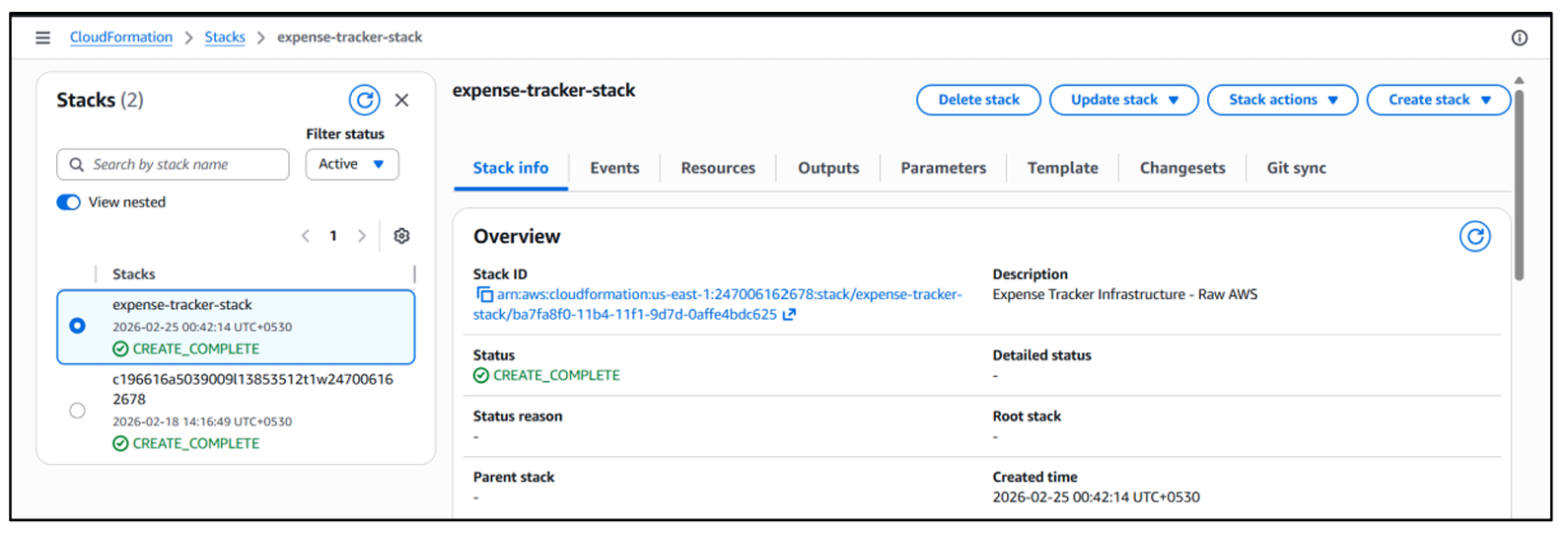
All AWS resources are provisioned through:
infrastructure.yaml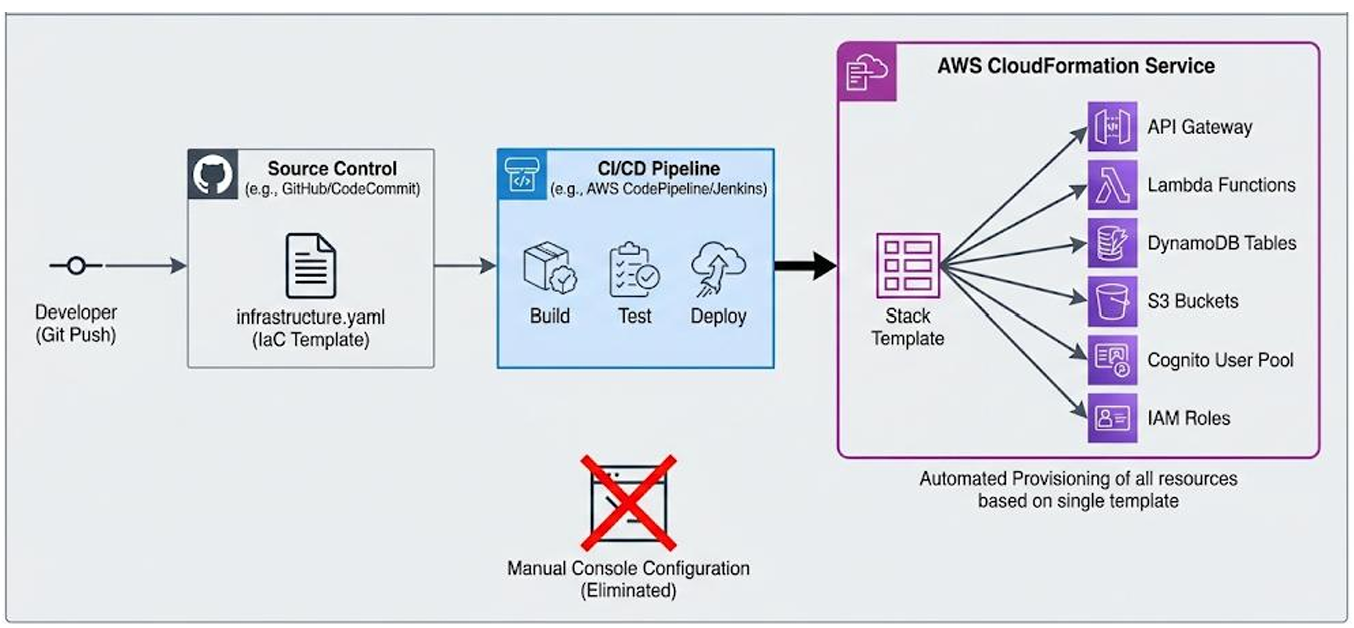
Tech Stack
Frontend
- Next.js 16
- TypeScript
- Tailwind CSS
Backend
- Node.js v22
- Express.js
Containerization
- Docker
- Docker Compose
AWS Services
- EC2 (t3.micro)
- Cognito
- S3 (Presigned URLs)
- Textract (AnalyzeExpense API)
- DynamoDB (Pay-per-request)
- SNS
- CloudFormation
- VPC & Security Groups
Core Workflows
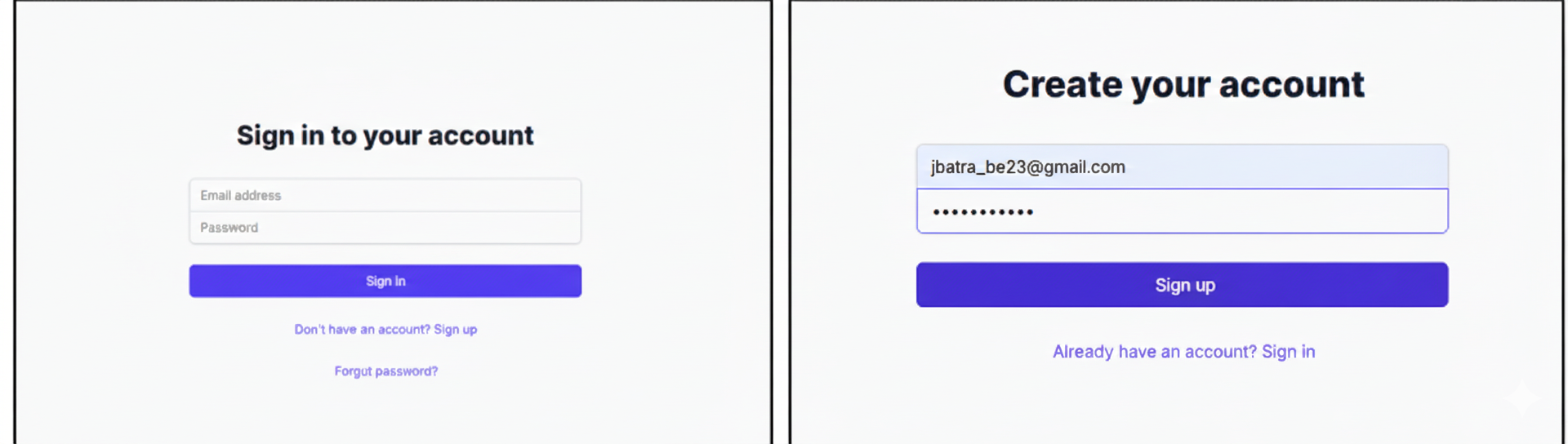
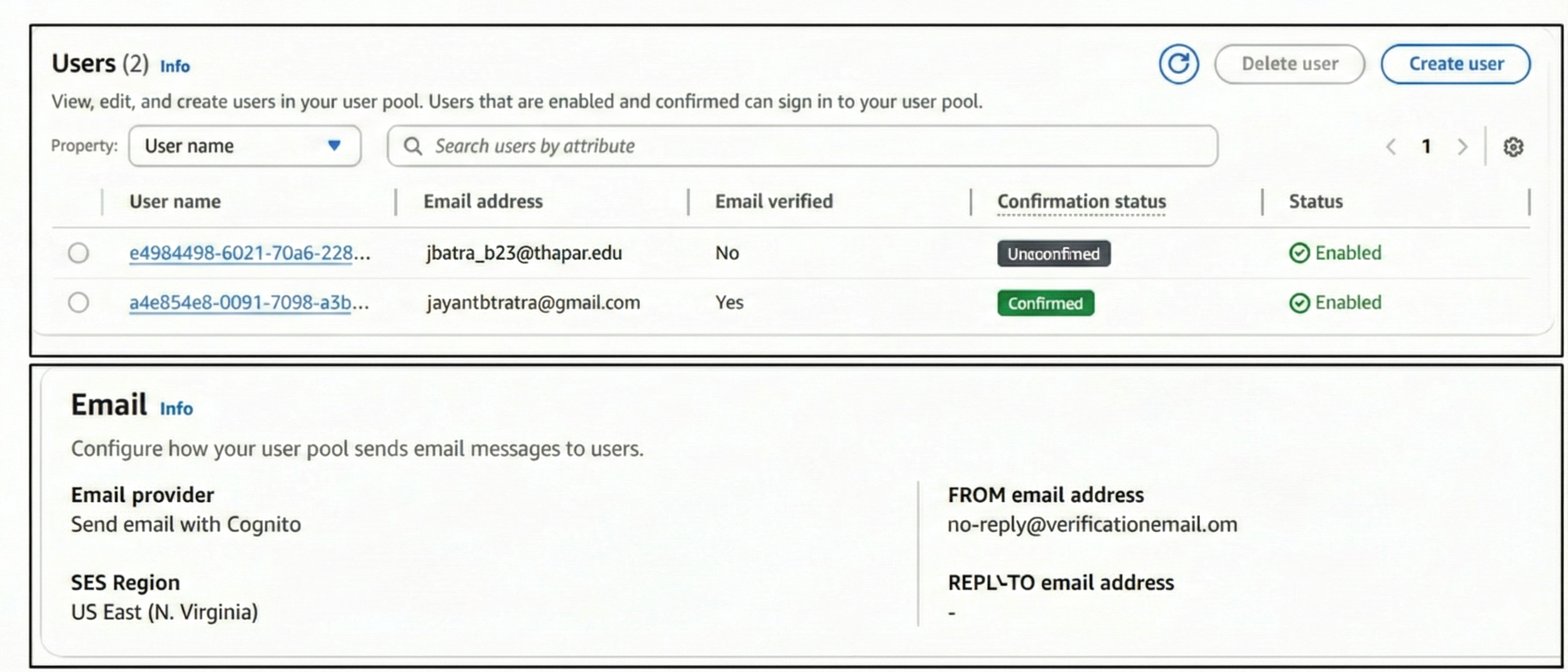
Authentication Flow
- User signup with email verification (OTP)
- Secure Remote Password (SRP)
- JWT token issued upon login
- JWT used for protected API calls

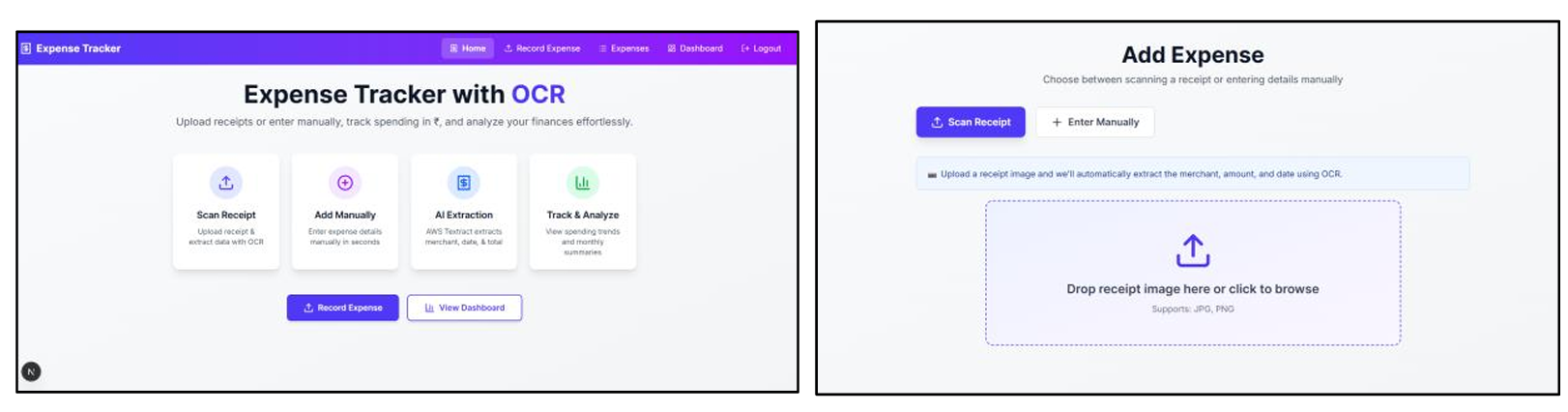
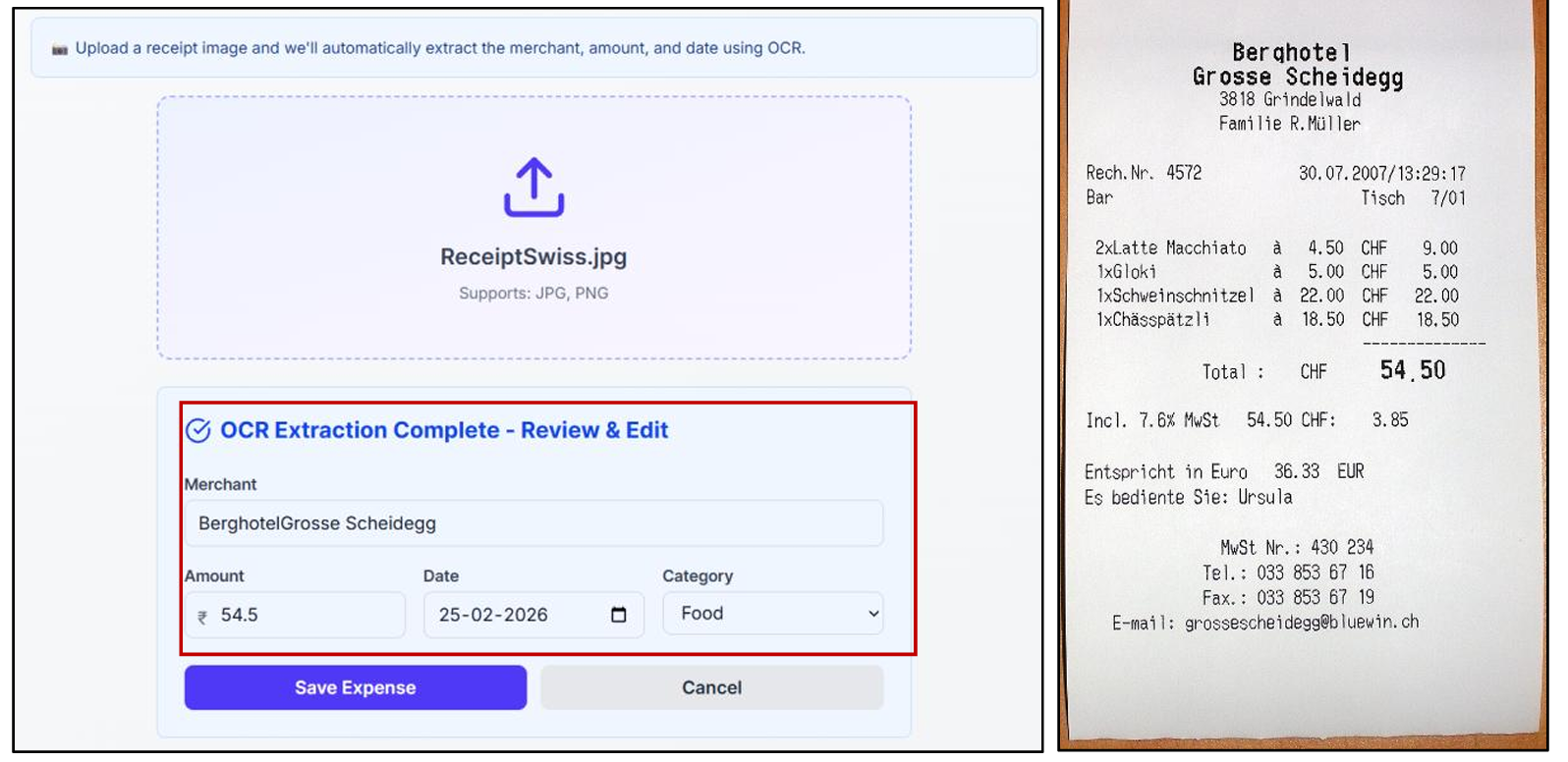
Receipt Upload & OCR Pipeline
User selects receipt
Backend generates presigned S3 URL
Frontend uploads directly to S3
Backend calls Textract AnalyzeExpense
Extracted fields returned:
- Merchant Name
- Total Amount
- Date
User confirms data
Expense saved to DynamoDB
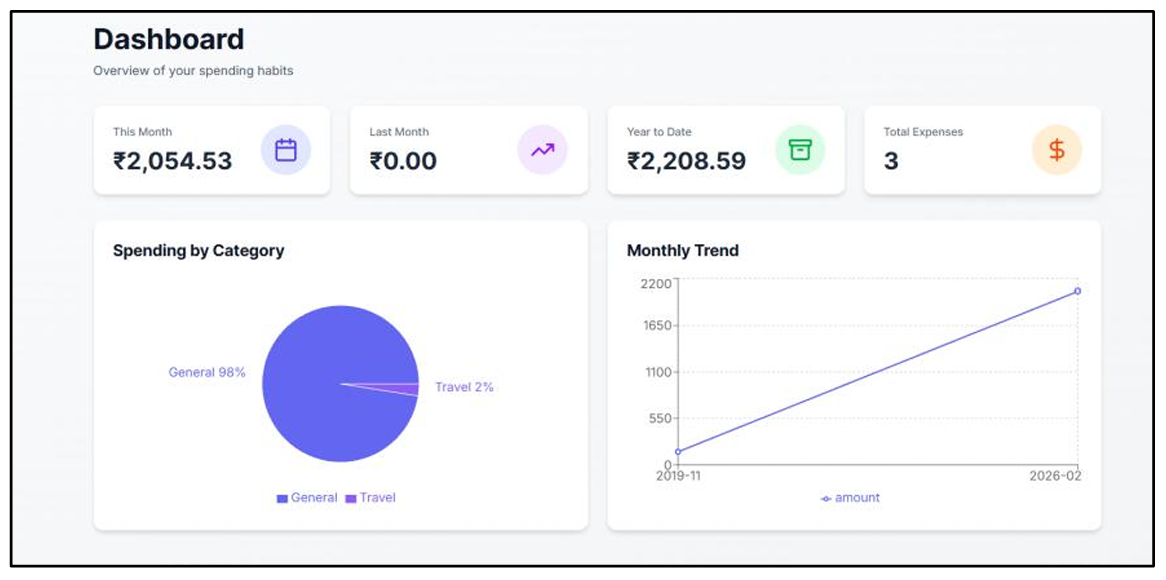
Expense Dashboard
JWT-authenticated requests
Partitioned DynamoDB queries using
userIdDisplays:
- Category pie chart
- Monthly trend line chart
- Expense table
- Summary statistics
Monthly Email Notifications
- Scheduled aggregation of expenses
- Formatted HTML summary
- Published to SNS topic
- Delivered via email
Infrastructure as Code
All AWS resources are defined in a single declarative file:
infrastructure.yamlResources created:
- VPC
- Public Subnet
- Internet Gateway
- Route Tables
- Security Groups
- EC2 Instance
- IAM Role & Instance Profile
- Cognito User Pool & Client
- S3 Bucket
- DynamoDB Table
- SNS Topic
Benefits
- Reproducible deployments
- Version-controlled infrastructure
- Automated rollback
- No manual console configuration
Containerization & Deployment
Two containers:
| Service | Port |
|---|---|
| Backend | 5000 |
| Frontend | 3000 |
Managed via docker-compose.
Benefits:
- Environment consistency
- Dependency isolation
- Simplified deployment
- Production-ready setup
Security
Authentication
- JWT-based stateless authentication
- SRP protocol
- Email verification
- Token expiration
Data Protection
- Private S3 bucket
- 15-minute presigned URL expiration
- DynamoDB encryption at rest
- HTTPS enforced
Network Isolation
- Custom VPC
- Restricted security groups
- Least-privilege IAM roles
Scalability
Current Limitation
- Single EC2 instance (Single Point of Failure)
Future Improvements
- Application Load Balancer
- Auto Scaling Group
- CloudFront CDN
- ElastiCache (Redis)
- Lambda-based backend
- DynamoDB GSIs
Testing
Functional Testing
- Signup & OTP verification
- JWT validation
- OCR extraction accuracy
- Expense persistence
Security Testing
- Unauthorized API rejection
- Expired token handling
- Cross-user isolation
- Presigned URL expiration validation
Project Structure
.
├── backend/
├── frontend/
├── infrastructure.yaml
├── docker-compose.yml
└── README.md
Setup & Deployment
1. Clone Repository
git clone <repository-url>
cd expense-tracker
2. Deploy Infrastructure
aws cloudformation deploy \
  --template-file infrastructure.yaml \
  --stack-name expense-tracker-stack
3. Run Application
docker-compose up --buildFuture Enhancements
- Multi-currency support
- Budget alerts
- Expense sharing between users
- Analytics export (CSV/PDF)
- Serverless backend migration